Introduction
Today, hosted version control services such as Bitbucket or GitHub offer many additional features that practically allow you to manage the entire application lifecycle without relying on external tools.
Speaking of Bitbucket, task management is one of these features. It provides two simple yet powerful built-in integration options: Jira and Trello. However, Bitbucket also allows you to link your own custom task manager.
Wrike is a work management and task management platform. Similar to Trello, its free version offers a suitable environment for project management. While the commercial version includes many more features, the free tier is more than sufficient for small developer teams.
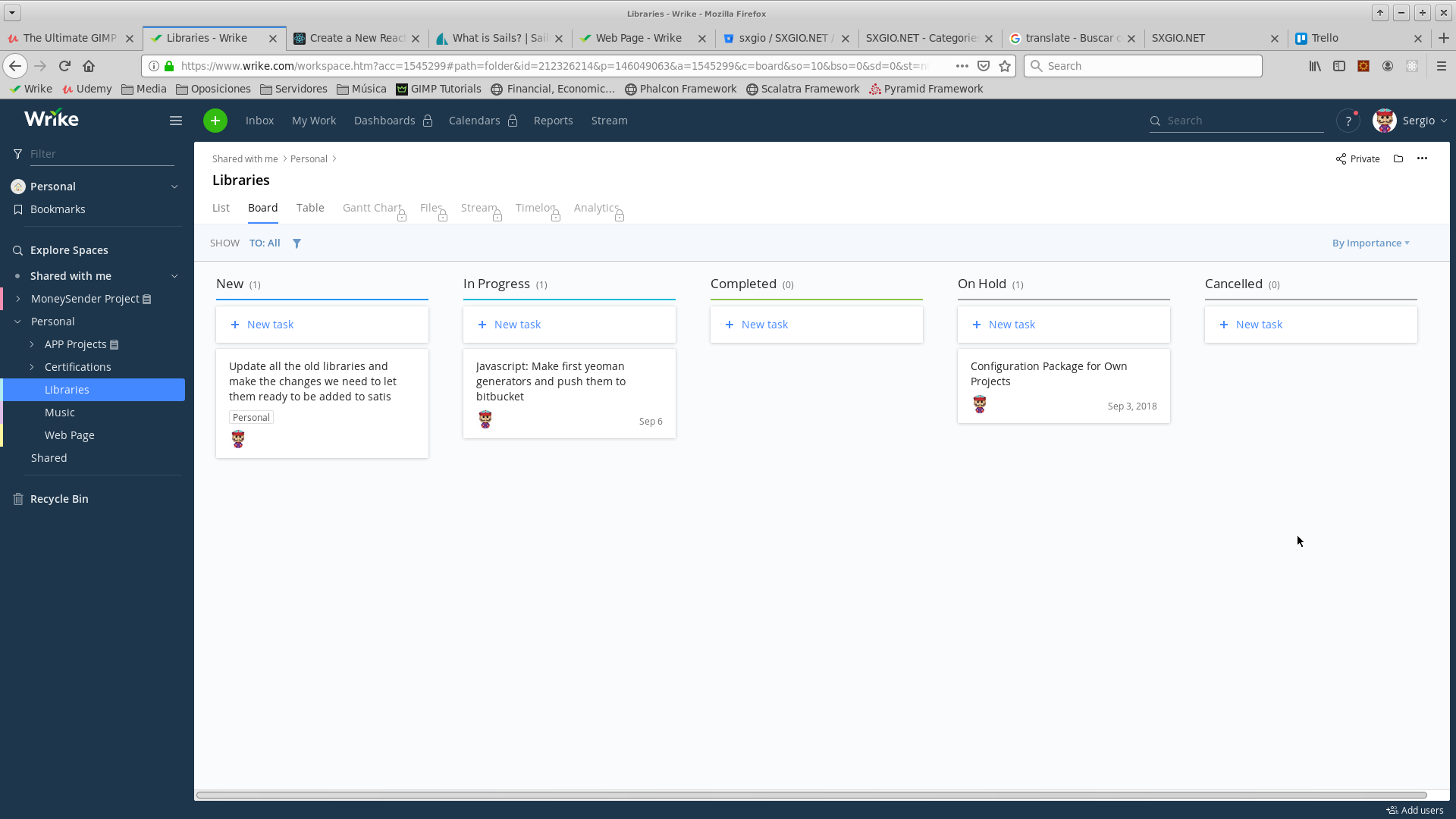
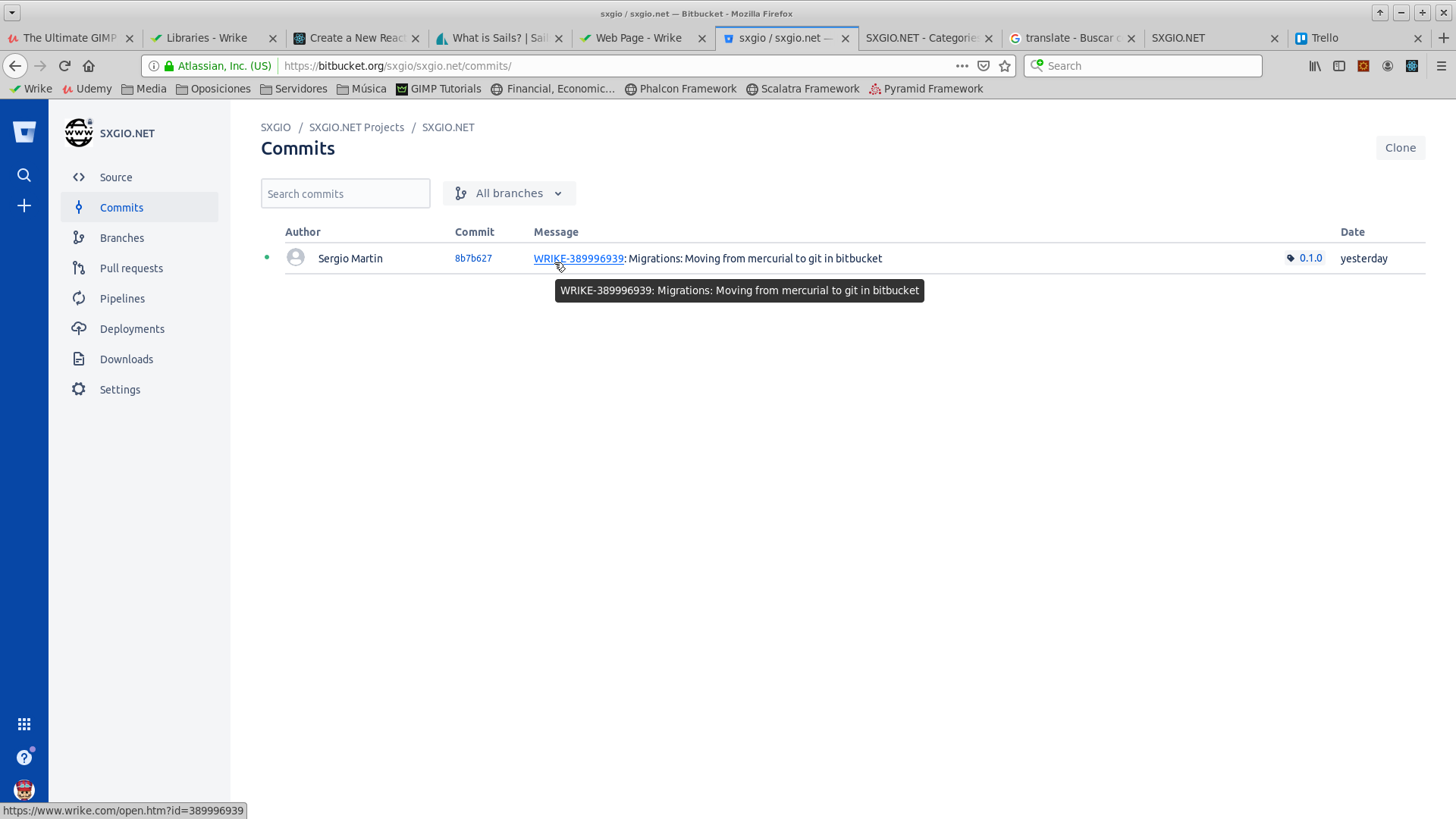
Linking Wrike and Bitbucket is straightforward. Bitbucket provides a Links configuration menu that allows you to connect commit messages to tasks in an external management system. All that is needed is for the task manager to expose a queryable URL format, and Wrike supports this.
Configuration
In Bitbucket, navigate to the repository you want to link with the external task manager. Go to Settings, then select Links. There, click the Add new link button. A modal dialog will appear. Two main fields must be configured:
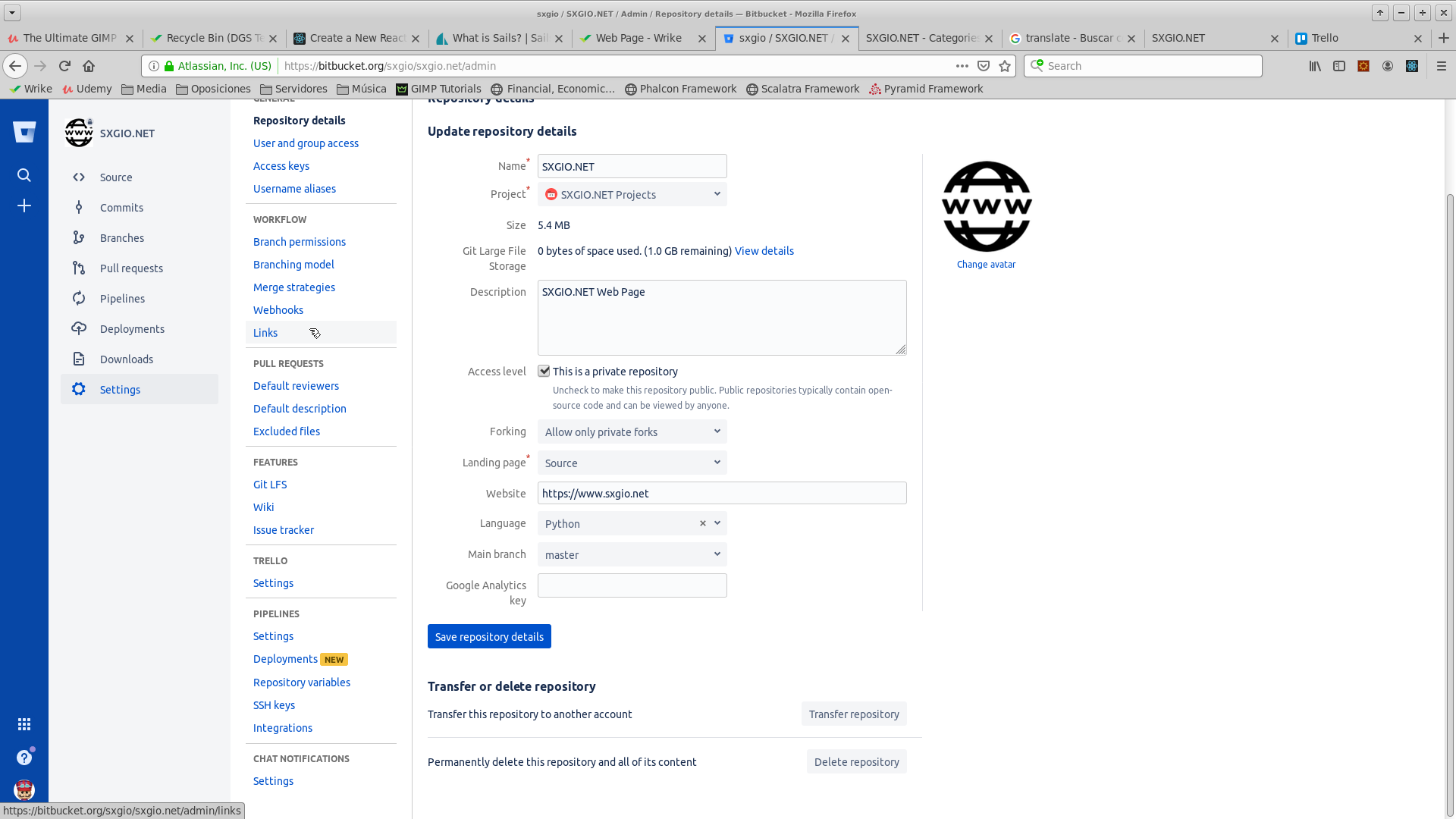
- The target URL: This will be consistent per project, with a parameter placeholder indicating how the task ID is extracted from the commit message. For Wrike, it looks like this:
- Regex pattern: The regular expression matched against commit messages. When viewing a commit, any matching pattern is converted into a hyperlink to the task manager. For example:
^WRIKE-([\d]+)
There is also a third setting in the dialog:
- Require issue keys in commit messages: If enabled, Bitbucket will reject pushes containing commit messages that do not follow the required issue key format.
Finally, inside the Bitbucket commit viewer, commit references will automatically link to the corresponding tasks in Wrike: