Introduction
Most of the time, regression testing reports should be sent to an ALM to maintain a history of test runs and evaluate the stability of the SUT.
The following article describes how to add the necessary pipeline code in a Jenkinsfile to push custom test results to Jira-X-RAY from a Cucumber test report. The process depends mainly on the JSON report provided by Cucumber once tests finish executing.
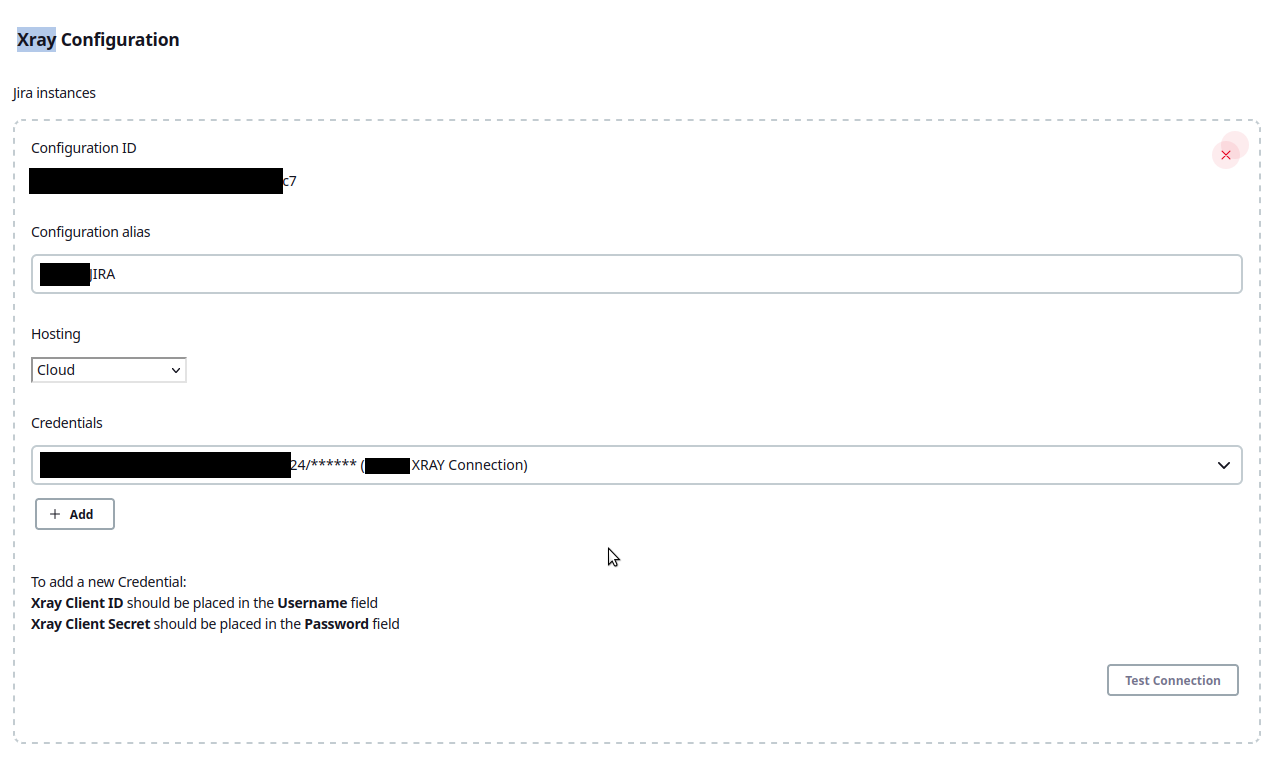
Make sure you have previously installed and configured the following prerequisites:
- The X-Ray Jenkins Plugin, as the Jenkinsfile relies heavily on this plugin to communicate with X-RAY.

Scope
In our specific scenario, we have already defined all tests and test plans in X-RAY. Therefore, we only want to create a new test execution and link it to the existing entities.
Custom message
There is a wide list of X-RAY endpoints available to update tests, test plans, and test executions. Because we use Cucumber and want to customize the title, description, and links to other Jira issues, we chose the cucumber/multipart endpoint.
The main difference between cucumber and cucumber/multipart is the extra metadata payload you can send to customize the new test execution.
Here is the pipeline snippet we use to send test data:
    post {
        always {
        ...
            cucumber fileIncludePattern: 'target/test-report-${BROWSER}.json', sortingMethod: 'ALPHABETICAL', reportTitle: '${BROWSER}'
            ...
            ...
            step([
                $class: 'XrayImportBuilder',
                endpointName: '/cucumber/multipart',
                inputInfoSwitcher: 'fileContent',
                importInfo: """{"fields":{
                                "project":{"key":"${clientData['JIRA_PROJECT']}"},
                                "summary":"${clientData['XRAY_SUMMARY']} environment ${ENVIRONMENT} and date ${TEST_DATETIME}",
                                "issuetype":{"name":"${clientData['XRAY_SUMMARY']}",
                                            "id":"${pipelineData.xray.TEST_EXECUTION_ID}"},
                                            "components":[{"name":"QA"}],
                                            "description":"${clientData['XRAY_DESCRIPTION']}",
                                            "labels":["qa","cucumber","${clientData['XRAY_MAIN_TAG']}","selenium","regression","${BROWSER}"]},
                                            "xrayFields":{"testPlanKey":"${TEST_PLAN_KEY}","environments":["${ENVIRONMENT}"]
                                }
                            }""",
                importFilePath : 'target/test-report-${BROWSER}.json',
                projectKey: "${PROJECT_KEY}",
                serverInstance: "${pipelineData.xray.SERVER_INSTANCE}"
            ])
        }
    }
When running the Jenkinsfile stage containing the code above, the Jenkins console output displays:
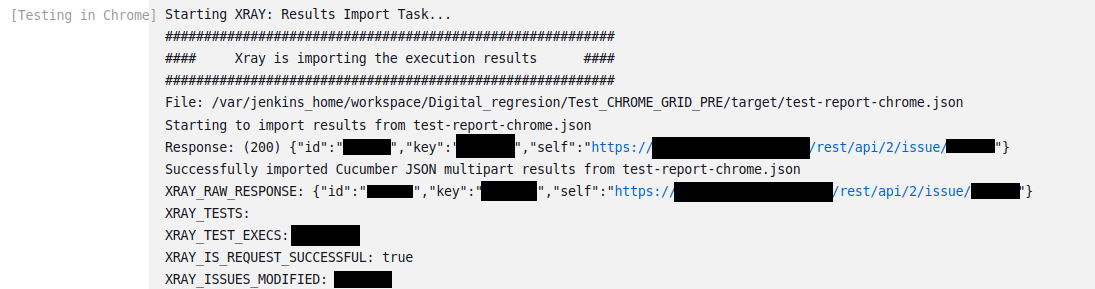
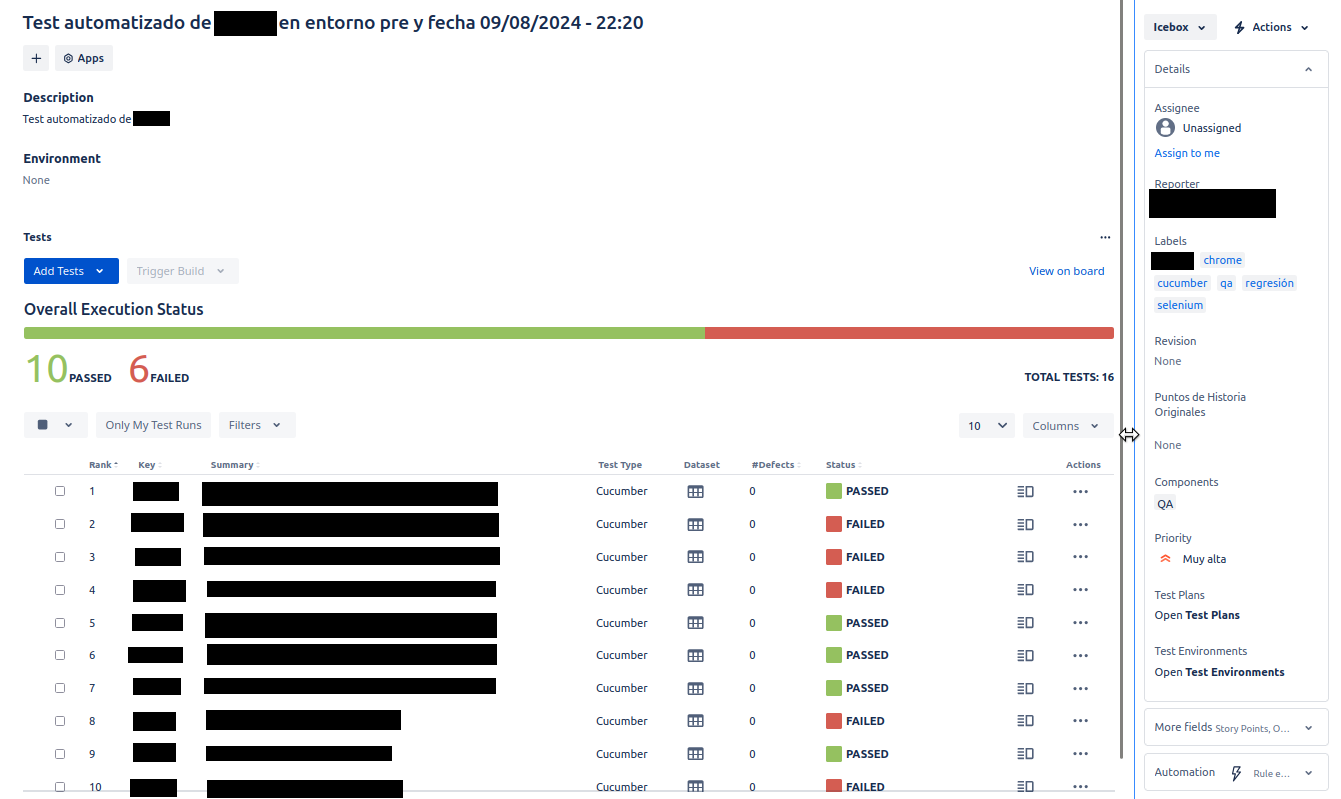
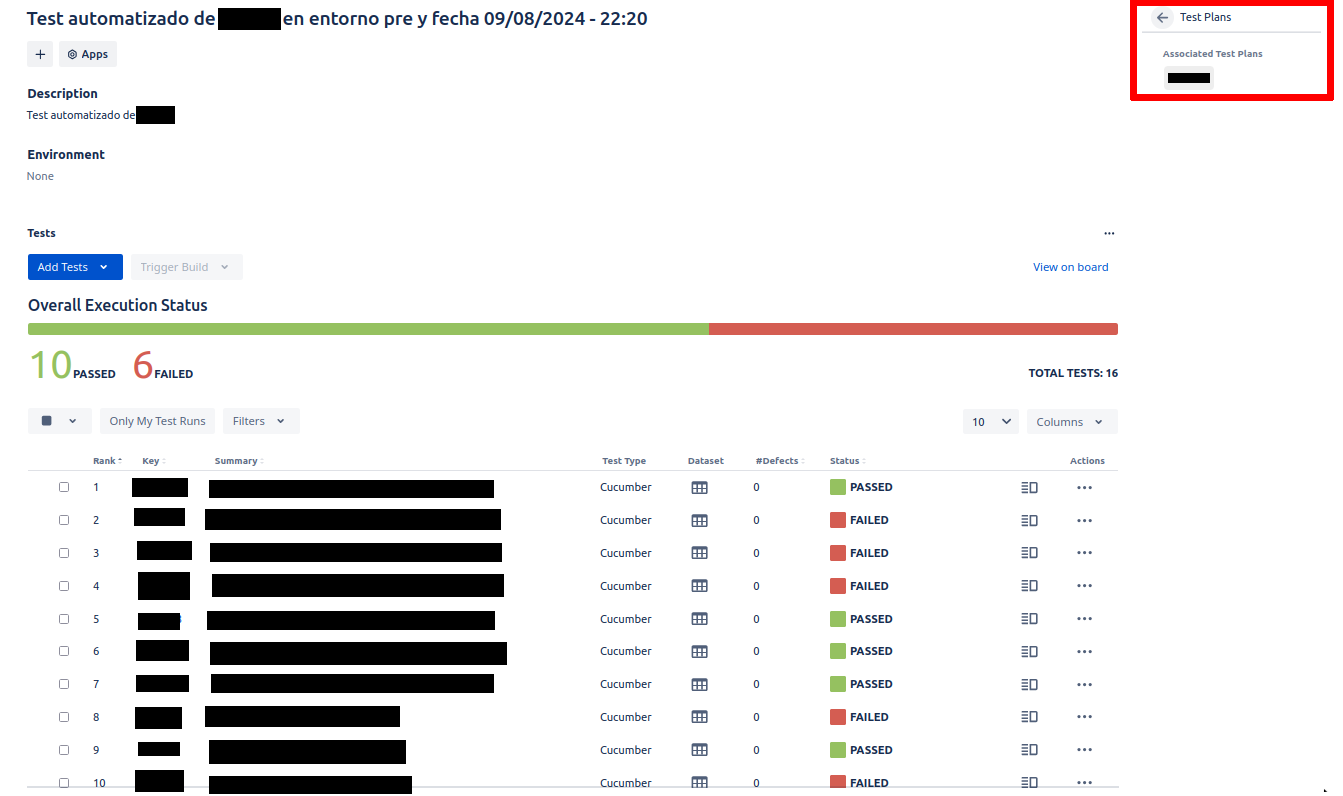
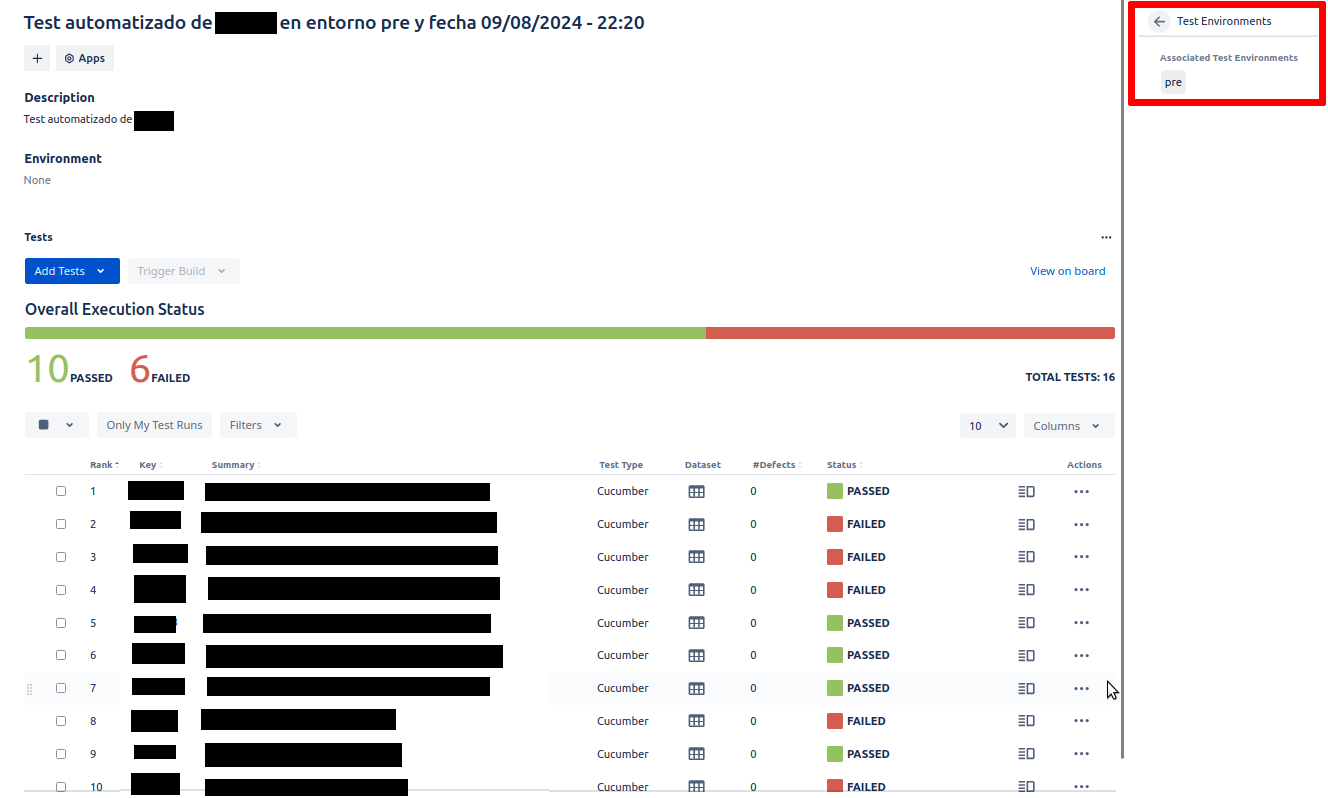
Upon checking X-RAY, a new test execution has been created and automatically linked to the executed tests and the appropriate test plan.
NOTE: Note: Some data in the following screenshots appear in Spanish:
Conclusion
For X-RAY, the official Jenkins plugin allows seamless import of Cucumber reports. It provides simple mechanisms to customize metadata for the following Jira types:
- test,
- test plan, and
- test execution.
For more details, consult the plugin documentation on Jenkins Plugins.